Creating an API key
To use use the EventsAir GraphQL API, you will need an API key, (consisting of a Client ID and a Client Secret) for your application.
You can create an API key within the EventsAir user interface, much like you would create a user account to work with the platform.
Instructions
API keys are created in a similar way to EventsAir users. Follow these steps to create a new API key in EventsAir.
note
These steps assume that you are an administrator in EventsAir and can create user accounts.
- Open the Application Setup screen.
- Click on Users and click on the + button to add a new user.
- Select the API Key Account Type and enter a name for the API Key, select Offices (if you have multiple offices configured) and choose the access permissions for the API Key.
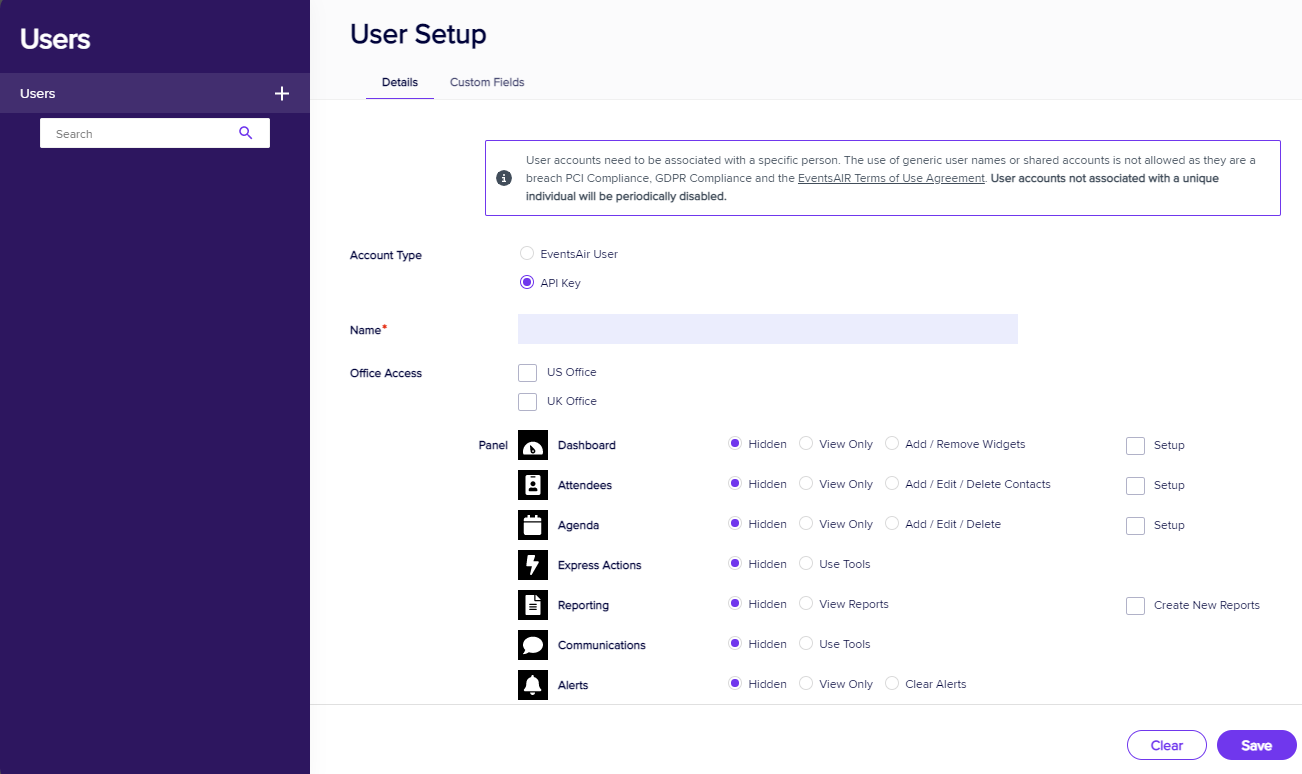
- Save the API key.
- Once the API key is saved, note the following details:
-
Client ID
-
Client Secret
-
Tenant ID
dangerYour API key details are sensitive! Ensure that you store them securely (we recommend a password manager) and never share them with untrusted parties.
-